
NEXOS Fit – digital consultation for insole care
Good consultation should not depend on who happens to be on shift.
NEXOS Fit guides your team step by step through the consultation – with your questions and your insole types.
- 1Prescription
- 2Scan
- 3Patient history
- 4Shoe choice
- 5Recommendation
- 6Additional sales
- 7Signature
- 8Release

Experience cannot be trained in quickly – a workflow can.
Your experienced staff consult well. But new staff need time to get there, and on busy days upgrade options sometimes go unmentioned. Documentation happens on paper, and in the next step everything is typed in again.
- OnboardingNew staff only reach your level of consultation after months.
- Upgrade optionsOn busy days they go unmentioned – without bad intent.
- DocumentationPaper in the fitting room, folders in storage, searching during audits.
- Duplicate workWhat was discussed is entered again in the next step.
Explained in 30 seconds
Prescription in, insole out.
The software supports your team in the fitting room during the consultation. Based on your criteria, prescription, patient history, foot scan, shoe type and shoe size are evaluated and turned into a recommendation.
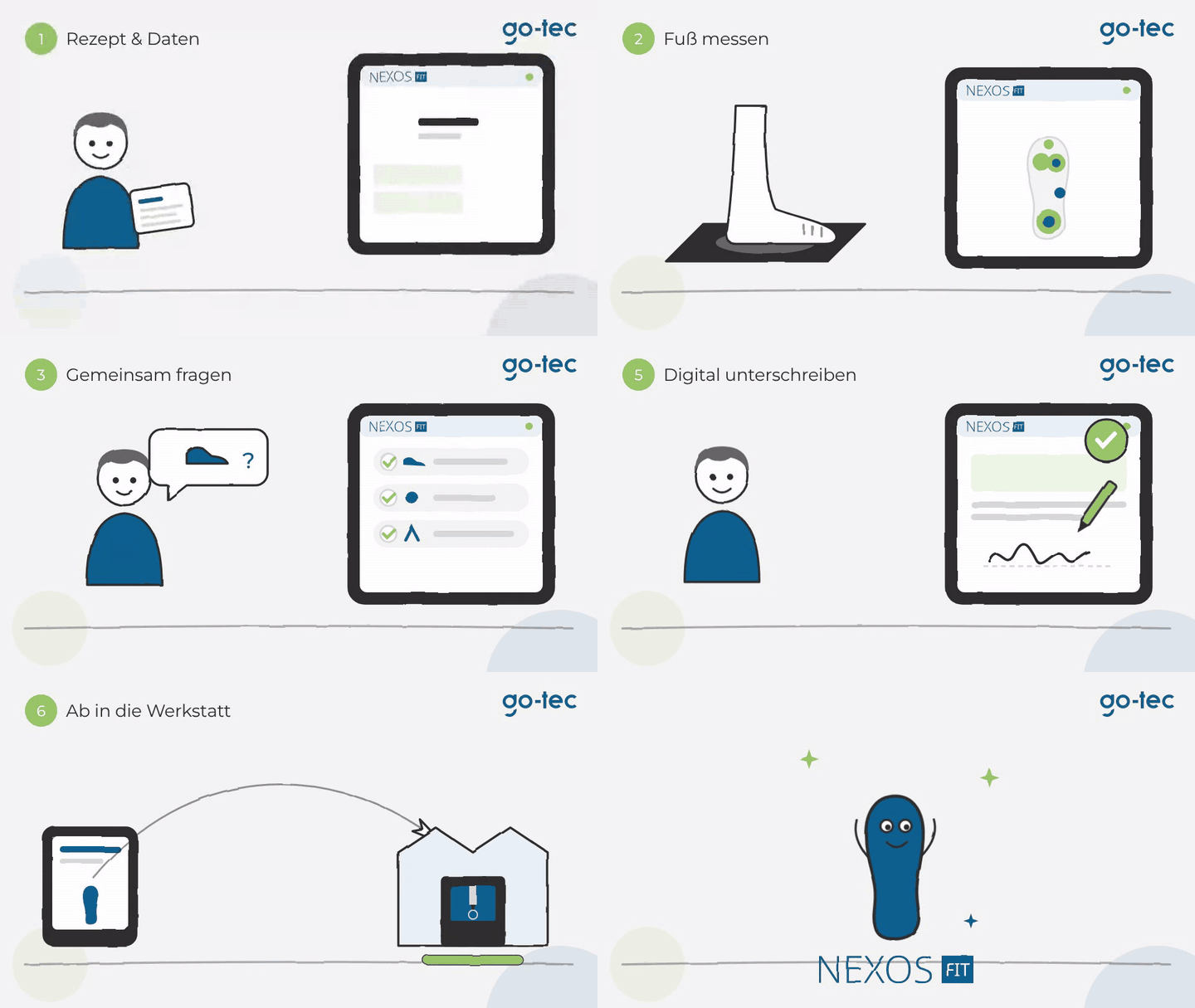
- Prescription & dataPaper in – the rest sorts itself out.
- ConsultationThe expert logic whispers along, you stay the professional.
- Insole careFinished recommendation, sent to the workshop.
The workflow in a few steps
From prescription to release, NEXOS Fit runs the consultation in a fixed order – each step builds on the previous one.
Patient data and order
Patient data entry and order creation in your practice management software, where integrated.
Prescription
Prescription, diagnosis, prescribing doctor.
Scan
2D or 3D scan, abnormalities visible immediately.
Patient history
Complaints and findings in a structured way, with your questions.
Shoe choice
Only insole types that suit the shoe and the indication.
Recommendation
Standard provision and upgrade options side by side, with the patient’s share of costs and reasons.
Additional sales
Offer suitable additional products directly during the consultation.
Signature
The consultation form documents payer details, product codes and the patient’s digital signature – configured to the requirements of your country.
Release
One click and the order goes to CAD design and manufacturing. Product codes and images are sent back to your practice management software.







Beim Abspielen wird das Video von YouTube geladen. Dabei werden Daten an Google übertragen. Mehr in unserer Datenschutzerklärung.
NEXOS Fit runs in the browser – at the consultation desk, on a tablet, at every location. The scanner, however, needs a USB connection to a PC.
Bring a real prescription – we will run through your process together in 30 minutes.
You show us a case from your everyday work, we take it step by step through NEXOS Fit. Afterwards you know what your consultation looks like in the system.